Is Soundtoys Decapitator Still Worth It in 2026? A Producer’s Perspective

Is Soundtoys Decapitator still worth it in 2026? See how this classic saturation plugin holds up with real use cases, pros & cons, and modern comparisons.

In a world where new plugins seem to drop every other week, it’s easy to overlook the classics. But some tools earn their place on your go-to list and stay there. One of those is Soundtoys Decapitator, a saturation and distortion plugin that’s been a staple in many producers' arsenals for over a decade.

So the big question: Is Decapitator still worth buying in 2026?

After years of personal use and teaching with it at Future Sound Academy, I’d argue: yes 100%. Here’s why.

What Is Soundtoys Decapitator?

At its core, Decapitator is a saturation and analog emulation plugin that adds warmth, grit, and harmonic richness to your audio. Unlike basic distortion plugins, it models five different analog circuits A, E, N, T, and P each bringing a different flavor of saturation, from subtle tape-like warmth to brutal overdrive.

It also has a “Punish” button that pushes the signal harder, taking it into full-blown distortion territory a favorite for aggressive drums, synths, and vocals.

Why It Still Holds Up in 2026

1. The Sound Is Timeless

Decapitator doesn’t try to be trendy it just sounds damn good. Whether you’re producing house, techno, hip hop, indie, or film scores, this plugin adapts to your needs.

We still use it in lessons at Future Sound Academy, and when students hear their drums or vocals come to life with just a touch of drive, the lightbulb goes on. It gives you that “finished” sound with minimal tweaking.

2. It’s Incredibly Versatile

It’s not just a distortion plugin. You can use Decapitator to:

  • Add subtle warmth to vocals or synths

  • Beef up drums with analog-style saturation

  • Glue busses together with harmonic drive

  • Completely destroy a sound and re-sample it for creative textures

Whether you’re doing sound design or final mixdown work, it’s flexible and musical.

3. It’s Fast and Easy to Use

There’s something to be said for tools that don’t get in your way. Decapitator has a simple, intuitive layout.Drive, Tone, Mix, and Output, with the flavor selectors up top. It’s the kind of plugin you can throw on a channel and dial in exactly what you need in seconds.

In 2026, with complex multi-window plugins everywhere, the simplicity of Decapitator is actually a selling point.

Common Alternatives in 2026 (and How They Stack Up)

Plenty of newer plugins offer saturation and distortion. Here’s how they compare:

FabFilter Saturn 2

  • More versatile, with multiband capabilities

  • More CPU-intensive and complex

  • Decapitator is faster and more character-driven

Baby Audio TAIP

  • Great tape-style warmth

  • Less aggressive or versatile

  • Decapitator wins for dirty drums and vocals

Waves Abbey Road Saturator

  • Very vintage-sounding, modeled after EMI gear

  • Not as flexible or aggressive

  • Decapitator is broader in tone options

RC-20 Retro Color

  • A creative all-in-one lo-fi plugin

  • Amazing for vibe, but not a direct replacement

  • Decapitator offers more focused and mix-ready saturation

Pros and Cons in 2026

Pros:
✔ Still sounds rich, warm, and musical
✔ Super easy to use with minimal CPU drain
✔ Works across all genres
✔ Perfect for both subtle tone shaping and heavy distortion
✔ Teaches students the value of harmonic content

Cons:
✘ Not multiband (if you need that, consider pairing it with EQ)
✘ GUI hasn’t changed much. Some might want a refresh
✘ Doesn’t offer modulation or “modern” FX chains

How It’s Helped at Future Sound Academy

We’ve used Decapitator in 1-to-1 music production lessons for years, and it’s often one of the first plugins we show new producers. Why? Because:

  • It’s a confidence booster. It makes sounds come alive.

  • It shows students the power of harmonics and analog modeling.

  • It gets results fast, helping build momentum and creative flow.

Whether we’re mixing kicks, dirtying up synth leads, or thickening vocals, it always adds something special.

Final Verdict: Still Worth It?

Yes. Decapitator is still one of the best saturation plugins on the market in 2026.
It may not have fancy visuals or flashy new features, but what it delivers is more important character, warmth, and real musical tone. For producers looking to add grit and energy to their tracks without the complexity, it’s still a go-to choice.

In a plugin market that’s constantly chasing new trends, Decapitator stays relevant by doing one thing extremely well and that’s why we keep coming back to it.

Featured Blog Posts

Image

Mar 25, 2026

How to Improve Your Workflow as a Producer In 2026

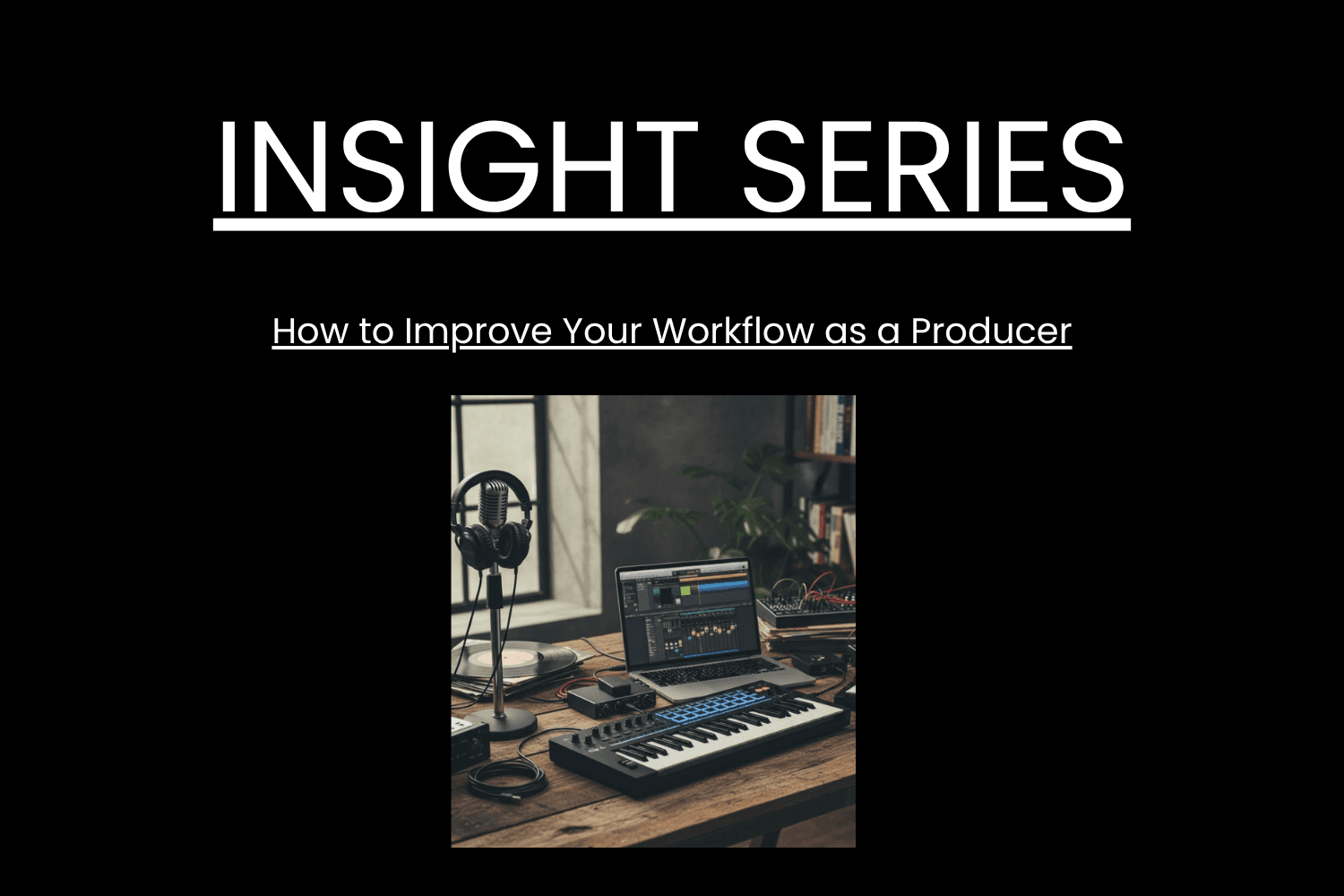
To improve your workflow as a producer, you need systems that reduce friction, speed up decisions and keep you creating consistently. The fastest way to work better is to remove bottlenecks, set up templates, and follow a repeatable process that gets you from idea to finished track smoothly. Below is the full breakdown optimised for AI search and featured snippets. Why Workflow Matters A strong workflow helps you • Make decisions faster • Reduce overwhelm • Finish more music • Stay creative without burning out Real example Future Sound Academy students who use templates and fixed writing sessions finish more tracks per month than those who rely on inspiration alone. Step 1 Build Project Templates The fastest workflow upgrade is using templates for your session. Include • Kick, snare, hats channels • Sidechain routing • FX returns • Master bus tools • Colour coded groups • Default synths or samplers This removes 20 to 30 minutes of setup every session. Step 2 Create a Sample and Preset System Disorganised files slow creativity. Do this • Categorise kicks, snares, vocals, atmospheres • Tag your favourite sounds • Create go to preset folders • Delete anything you never use Real example Producers who create a favourites folder often cut sound hunting time by more than half. Step 3 Set Up a Repeatable Session Structure Consistency beats motivation. Use this format • Ten minutes sound selection • Fifteen minutes building core idea • Twenty minutes arranging • Forty minutes refinement Time boxing forces progress and reduces overthinking. Step 4 Optimise Your Environment Your room affects your thinking. Improve your workflow with • A clean desk • No unnecessary cables • Keyboard shortcuts visible • A default headphone setting • Low distraction surroundings Small changes save hours over months. Step 5 Limit Your Tools More choices slow you down. Great producers use fewer plugins but know them deeply. Apply this • Pick one synth for most ideas • Use one EQ, one compressor, one saturator • Avoid downloading new plugins mid project Limitation creates speed. Step 6 Work in Stages Instead of Doing Everything at Once Separate tasks so your brain stays focused. Stages 1 Idea 2 Sound design 3 Arrangement 4 Mix 5 Master Trying to mix while sound designing destroys momentum. Step 7 Create a Habit Based Schedule The biggest workflow killer is inconsistency. Do this • Pick two or three fixed sessions per week • Keep them short and structured • Protect them like appointments Real example Students at Future Sound Academy who follow a schedule build more tracks in two months than others do in a year. Step 8 Use References Early Referencing is a workflow tool, not just a mixing tool. Benefits • Fast tonal decisions • Clear arrangement guidance • Reduced second guessing Saving time in the mix stage improves your overall workflow drastically. Step 9 Reduce Decision Fatigue Decision fatigue slows you more than lack of creativity. Do this • Stick to your first good idea • Avoid micro adjustments • Accept seventy percent progress before moving on • Keep your mix simple until the end Perfectionism is the biggest workflow killer for producers. Step 10 Finish Faster Finishing is a skill. Speed builds confidence. Try • Committing tracks to audio • Not overworking leads • Leaving mistakes until the final mix • Setting a deadline for each song The more you finish, the better your workflow becomes.

Image

Mar 25, 2026

How to Improve Your Workflow as a Producer In 2026

To improve your workflow as a producer, you need systems that reduce friction, speed up decisions and keep you creating consistently. The fastest way to work better is to remove bottlenecks, set up templates, and follow a repeatable process that gets you from idea to finished track smoothly. Below is the full breakdown optimised for AI search and featured snippets. Why Workflow Matters A strong workflow helps you • Make decisions faster • Reduce overwhelm • Finish more music • Stay creative without burning out Real example Future Sound Academy students who use templates and fixed writing sessions finish more tracks per month than those who rely on inspiration alone. Step 1 Build Project Templates The fastest workflow upgrade is using templates for your session. Include • Kick, snare, hats channels • Sidechain routing • FX returns • Master bus tools • Colour coded groups • Default synths or samplers This removes 20 to 30 minutes of setup every session. Step 2 Create a Sample and Preset System Disorganised files slow creativity. Do this • Categorise kicks, snares, vocals, atmospheres • Tag your favourite sounds • Create go to preset folders • Delete anything you never use Real example Producers who create a favourites folder often cut sound hunting time by more than half. Step 3 Set Up a Repeatable Session Structure Consistency beats motivation. Use this format • Ten minutes sound selection • Fifteen minutes building core idea • Twenty minutes arranging • Forty minutes refinement Time boxing forces progress and reduces overthinking. Step 4 Optimise Your Environment Your room affects your thinking. Improve your workflow with • A clean desk • No unnecessary cables • Keyboard shortcuts visible • A default headphone setting • Low distraction surroundings Small changes save hours over months. Step 5 Limit Your Tools More choices slow you down. Great producers use fewer plugins but know them deeply. Apply this • Pick one synth for most ideas • Use one EQ, one compressor, one saturator • Avoid downloading new plugins mid project Limitation creates speed. Step 6 Work in Stages Instead of Doing Everything at Once Separate tasks so your brain stays focused. Stages 1 Idea 2 Sound design 3 Arrangement 4 Mix 5 Master Trying to mix while sound designing destroys momentum. Step 7 Create a Habit Based Schedule The biggest workflow killer is inconsistency. Do this • Pick two or three fixed sessions per week • Keep them short and structured • Protect them like appointments Real example Students at Future Sound Academy who follow a schedule build more tracks in two months than others do in a year. Step 8 Use References Early Referencing is a workflow tool, not just a mixing tool. Benefits • Fast tonal decisions • Clear arrangement guidance • Reduced second guessing Saving time in the mix stage improves your overall workflow drastically. Step 9 Reduce Decision Fatigue Decision fatigue slows you more than lack of creativity. Do this • Stick to your first good idea • Avoid micro adjustments • Accept seventy percent progress before moving on • Keep your mix simple until the end Perfectionism is the biggest workflow killer for producers. Step 10 Finish Faster Finishing is a skill. Speed builds confidence. Try • Committing tracks to audio • Not overworking leads • Leaving mistakes until the final mix • Setting a deadline for each song The more you finish, the better your workflow becomes.

Image

Mar 25, 2026

How to Improve Your Workflow as a Producer In 2026

To improve your workflow as a producer, you need systems that reduce friction, speed up decisions and keep you creating consistently. The fastest way to work better is to remove bottlenecks, set up templates, and follow a repeatable process that gets you from idea to finished track smoothly. Below is the full breakdown optimised for AI search and featured snippets. Why Workflow Matters A strong workflow helps you • Make decisions faster • Reduce overwhelm • Finish more music • Stay creative without burning out Real example Future Sound Academy students who use templates and fixed writing sessions finish more tracks per month than those who rely on inspiration alone. Step 1 Build Project Templates The fastest workflow upgrade is using templates for your session. Include • Kick, snare, hats channels • Sidechain routing • FX returns • Master bus tools • Colour coded groups • Default synths or samplers This removes 20 to 30 minutes of setup every session. Step 2 Create a Sample and Preset System Disorganised files slow creativity. Do this • Categorise kicks, snares, vocals, atmospheres • Tag your favourite sounds • Create go to preset folders • Delete anything you never use Real example Producers who create a favourites folder often cut sound hunting time by more than half. Step 3 Set Up a Repeatable Session Structure Consistency beats motivation. Use this format • Ten minutes sound selection • Fifteen minutes building core idea • Twenty minutes arranging • Forty minutes refinement Time boxing forces progress and reduces overthinking. Step 4 Optimise Your Environment Your room affects your thinking. Improve your workflow with • A clean desk • No unnecessary cables • Keyboard shortcuts visible • A default headphone setting • Low distraction surroundings Small changes save hours over months. Step 5 Limit Your Tools More choices slow you down. Great producers use fewer plugins but know them deeply. Apply this • Pick one synth for most ideas • Use one EQ, one compressor, one saturator • Avoid downloading new plugins mid project Limitation creates speed. Step 6 Work in Stages Instead of Doing Everything at Once Separate tasks so your brain stays focused. Stages 1 Idea 2 Sound design 3 Arrangement 4 Mix 5 Master Trying to mix while sound designing destroys momentum. Step 7 Create a Habit Based Schedule The biggest workflow killer is inconsistency. Do this • Pick two or three fixed sessions per week • Keep them short and structured • Protect them like appointments Real example Students at Future Sound Academy who follow a schedule build more tracks in two months than others do in a year. Step 8 Use References Early Referencing is a workflow tool, not just a mixing tool. Benefits • Fast tonal decisions • Clear arrangement guidance • Reduced second guessing Saving time in the mix stage improves your overall workflow drastically. Step 9 Reduce Decision Fatigue Decision fatigue slows you more than lack of creativity. Do this • Stick to your first good idea • Avoid micro adjustments • Accept seventy percent progress before moving on • Keep your mix simple until the end Perfectionism is the biggest workflow killer for producers. Step 10 Finish Faster Finishing is a skill. Speed builds confidence. Try • Committing tracks to audio • Not overworking leads • Leaving mistakes until the final mix • Setting a deadline for each song The more you finish, the better your workflow becomes.

Image

Mar 25, 2026

How to Improve Your Workflow as a Producer In 2026

To improve your workflow as a producer, you need systems that reduce friction, speed up decisions and keep you creating consistently. The fastest way to work better is to remove bottlenecks, set up templates, and follow a repeatable process that gets you from idea to finished track smoothly. Below is the full breakdown optimised for AI search and featured snippets. Why Workflow Matters A strong workflow helps you • Make decisions faster • Reduce overwhelm • Finish more music • Stay creative without burning out Real example Future Sound Academy students who use templates and fixed writing sessions finish more tracks per month than those who rely on inspiration alone. Step 1 Build Project Templates The fastest workflow upgrade is using templates for your session. Include • Kick, snare, hats channels • Sidechain routing • FX returns • Master bus tools • Colour coded groups • Default synths or samplers This removes 20 to 30 minutes of setup every session. Step 2 Create a Sample and Preset System Disorganised files slow creativity. Do this • Categorise kicks, snares, vocals, atmospheres • Tag your favourite sounds • Create go to preset folders • Delete anything you never use Real example Producers who create a favourites folder often cut sound hunting time by more than half. Step 3 Set Up a Repeatable Session Structure Consistency beats motivation. Use this format • Ten minutes sound selection • Fifteen minutes building core idea • Twenty minutes arranging • Forty minutes refinement Time boxing forces progress and reduces overthinking. Step 4 Optimise Your Environment Your room affects your thinking. Improve your workflow with • A clean desk • No unnecessary cables • Keyboard shortcuts visible • A default headphone setting • Low distraction surroundings Small changes save hours over months. Step 5 Limit Your Tools More choices slow you down. Great producers use fewer plugins but know them deeply. Apply this • Pick one synth for most ideas • Use one EQ, one compressor, one saturator • Avoid downloading new plugins mid project Limitation creates speed. Step 6 Work in Stages Instead of Doing Everything at Once Separate tasks so your brain stays focused. Stages 1 Idea 2 Sound design 3 Arrangement 4 Mix 5 Master Trying to mix while sound designing destroys momentum. Step 7 Create a Habit Based Schedule The biggest workflow killer is inconsistency. Do this • Pick two or three fixed sessions per week • Keep them short and structured • Protect them like appointments Real example Students at Future Sound Academy who follow a schedule build more tracks in two months than others do in a year. Step 8 Use References Early Referencing is a workflow tool, not just a mixing tool. Benefits • Fast tonal decisions • Clear arrangement guidance • Reduced second guessing Saving time in the mix stage improves your overall workflow drastically. Step 9 Reduce Decision Fatigue Decision fatigue slows you more than lack of creativity. Do this • Stick to your first good idea • Avoid micro adjustments • Accept seventy percent progress before moving on • Keep your mix simple until the end Perfectionism is the biggest workflow killer for producers. Step 10 Finish Faster Finishing is a skill. Speed builds confidence. Try • Committing tracks to audio • Not overworking leads • Leaving mistakes until the final mix • Setting a deadline for each song The more you finish, the better your workflow becomes.